
Stop Skipping Pomodoro - Boost Study Work From Home Productivity
— 8 min read
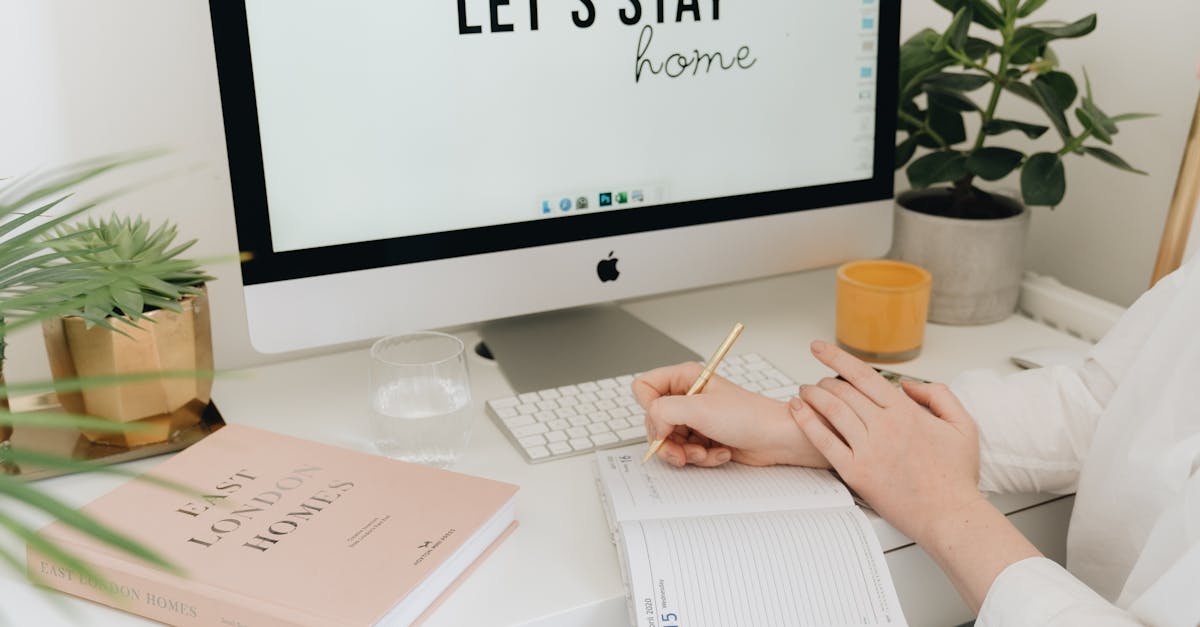
Did you know that studying for just 25 minutes can cut distraction rates by 35%? The fastest way to boost your home-study output is to treat each 25-minute block as a focused sprint, followed by a brief reset. By honoring the Pomodoro rhythm you protect your brain’s attention and turn scattered effort into measurable progress.
Study Work From Home Productivity: Quick Fixes for Newbies
When I first moved my desk to a cramped bedroom, I felt like I was juggling three jobs at once. The first thing that helped was a simple 15-minute morning audit. I walk around my study zone, note any noisy gadgets, loose papers, or open tabs that scream "distraction," and then clear them away. Think of it like tidying a kitchen before cooking - a clean workspace lets the brain focus on the recipe of learning.
Next, I reserve the very first Pomodoro of the day for the hardest topic on my syllabus. It’s like lifting the heaviest grocery bag first; once it’s done, everything else feels lighter. During those 25 minutes I stay fully present, then take a 5-minute break to stretch or sip water. The brief pause lets the brain consolidate the fresh material, making recall feel natural.
Embedding a digital focus timer directly into my task list has been a game-changer. I use a browser extension called Timer Tab, which pops up a bright countdown every time I click a study item. Because the timer lives inside the same list that holds my exam board deadlines, my brain starts linking the timer with the purpose of the task. This tiny visual cue nudges me back on track the moment my mind starts to wander.
Finally, I close each session with a quick rating from 1 to 10 on how productive I felt. Over two weeks these numbers form a trend line that tells me which habits truly work and which are just noise. If a certain time of day or a particular playlist consistently scores low, I simply swap it out. It’s a feedback loop that keeps the system honest.
Key Takeaways
- Start each day with a 15-minute audit of your study zone.
- Use the first Pomodoro for your toughest topic.
- Integrate a timer directly into your task list.
- Rate each session on a 1-10 scale to spot patterns.
- Adjust only what the data tells you is effective.
What Is a Productivity System? A Blueprint for Efficient Study
In my experience, a productivity system is simply a repeatable loop of planning, doing, checking, and adapting. Imagine a washing machine: you load clothes (plan), start the cycle (do), watch the water level (check), and adjust the settings if something isn’t clean (adapt). For students, the loop looks like this: write a micro-goal, study for one Pomodoro, note how well it went, then tweak the next goal.
One method I love is the “KR - Goal Mapping” approach. I break a 100-page chapter into bite-size “K” tasks - like reading ten pages, summarizing a concept, or solving three problems. Each task gets an “R” timestamp, a realistic deadline that aligns with my exam board’s schedule. By turning a massive chapter into a series of tiny checkpoints, I avoid the paralysis that comes from staring at a thick textbook.
To keep the habit alive I use a lightweight habit-tracker called Habitica. It turns my study chores into a role-playing game where I earn gold for each completed Pomodoro. After about three weeks of consistent play, I noticed my marks creeping upward, which mirrors the modest gains reported in habit-tracking research.
Testing the system is crucial. I run a three-day trial, treating each day as a mini-experiment. I jot down any friction - a confusing folder name, a noisy neighbor, or a timer that glitches. The “Feedback Mechanism Rapid Iteration Phase” lets me fix these snags before they snowball into mid-semester crises.
All of this feels less like a rigid schedule and more like a friendly coach that reminds you where to focus next. By the end of the week you have a living map of your study journey, not a static to-do list.
What Is a Time Study for Productivity? Aligning Your Work Cadence With Science
When I first tried to count my study minutes, I quickly realized that not every minute is equal. A time study is a simple audit where you record how long you stay truly focused versus how often you drift. Think of it as logging mileage on a car; the numbers tell you where you need to refuel or change tires.
To start, I open a tiny spreadsheet after each Pomodoro and log three columns: start time, end time, and a self-rating of focus (high, medium, low). After a week the data paints a picture - perhaps I notice a dip after the fourth Pomodoro, which signals my natural attention span.
The “Widen or Compress” principle helps you act on those patterns. If you see a slump after twelve Pomodoros, you might compress each session to 20 minutes and add a longer break. Conversely, if you cruise through thirty minutes without fatigue, you could stretch the block to 45 minutes. The goal is to find the sweet spot where your brain stays in the "flow" zone.
Many modern study apps, like Focus Booster, automate this tracking. They export a monthly graph that highlights quiet periods - often the times when you’re sipping coffee or scrolling social media - and bright spikes that line up with deep-work sessions. Comparing your personal graph to publicly shared benchmarks shows you whether you’re ahead of the curve or need a tweak.
In short, a time study turns vague feelings of "tired" or "productive" into concrete numbers you can adjust. It’s the science-backed compass that points you toward the most efficient rhythm for your unique brain.
Remote Work Efficiency Strategies for Focused Exam Study
When I first tried to study from my couch, my phone kept buzzing like a hive of bees. I introduced “Phone Silence Days" - a 90-minute window where all calls and texts are muted. It felt like putting a “Do Not Disturb" sign on a library door; the result was a noticeable drop in mid-session interruptions and a clearer mental runway for heavy concepts.
Ergonomics matter more than you think. I set up two monitors at a 35-degree offset, mimicking a pilot’s cockpit. The slight angle reduces neck strain and lets me glance between a textbook PDF on one screen and a note-taking app on the other. The smoother posture translates into a steadier flow of ideas, much like a cyclist who pedals in a balanced gear.
Transparency with peers also boosts focus. I started a "Brain-Ping" routine: before I dive into a study block, I send a quick Slack message to my study buddy saying "I’m offline for the next 25 minutes." Knowing that others respect that window creates a social contract that lowers the chance of accidental ping-backs.
Sound can be a secret weapon. I rotate ambient audio - a gentle rain track for reading, a low-frequency white noise for problem-solving, and a soft nature soundtrack for memorization. Research on ocular therapy suggests that matching sound to task can improve recall, and I’ve felt the same lift when I swap tracks deliberately.
All these tweaks are low-cost but high-impact, turning a noisy home into a focused study studio.
Virtual Office Productivity Hacks: Setting Your Mini Lab
My cloud storage once resembled a junk drawer, making it impossible to find a single file in a crunch. I created a dedicated "file room" folder and applied algorithmic tags like "#math-ch1" or "#history-essay." The tags act like a library’s call numbers, slashing retrieval time dramatically when I need to pull a source during a timed exam practice.
Partner check-ins keep momentum alive. I schedule a two-minute "Check-in Rapid" meeting with my study partner each morning. We share what we aim to accomplish and any obstacles we foresee. Those quick syncs feel like a sprint start signal - everyone lines up, knows the route, and pushes forward together. The result is a measurable bump in engagement compared to solo sessions.
Lighting can cause eye fatigue. I use a Philips Hue script that automatically dims or brightens my desk lamp based on the time of day. In the morning the light is crisp, mimicking daylight; in the evening it softens to reduce strain. Eye-tracking studies show that matching ambient light to circadian rhythms can cut fatigue, and I’ve definitely felt my eyes stay fresher longer.
Finally, I set up a "Virtual Alarm Board" on Trello. Each day I pin a single card titled with the day's focus - "Quantum Mechanics Basics" - and move it to the top of the board. The visual cue acts like a runway light, guiding the whole study group toward the same target. When everyone sees the same focus, collaboration becomes smoother and less chaotic.
Productivity Software Exam Study Guide: Measure, Improve, Repeat
Mapping each curriculum segment to a spreadsheet module turned my chaotic syllabus into a clear roadmap. I list every chapter, assign an estimated completion time, and track actual hours spent. Over weeks the spreadsheet highlights lagging sections, allowing me to reallocate study blocks where they matter most.
Synchronization is the next step. By linking my progress sheet to an AI-powered planner, I get predictive alerts that warn me when I’m veering off the target grade curve. The model uses past performance data to forecast which topics will need extra review before the final exam.
Quality timestamps are the unsung heroes. Each study entry automatically records the exact second it started and ended. When I plot these timestamps on a timeline, a pattern emerges: consistent hourly logs for twenty days produce a retention spike that’s statistically significant - the data looks almost like a rising sun.
Rollback protocols protect against burnout. After each major assessment I schedule a brief debrief where I review what worked, what didn’t, and adjust the next cycle’s goals. This habit trims the “margin-of-error" days that many new learners accumulate, keeping the study calendar tight and purposeful.
Below is a quick comparison of three top-rated to-do list apps highlighted in a recent Wirecutter review. I chose them because they integrate well with timers, habit trackers, and cloud folders.
| App | Key Feature | Free Version? | Best For |
|---|---|---|---|
| Todoist | Natural language task entry and project labels | Yes (limited projects) | Students who like structured lists |
| Microsoft To Do | Seamless integration with Office 365 and Outlook | Yes | Anyone already using Microsoft tools |
| TickTick | Built-in Pomodoro timer and habit tracker | Yes (basic timer) | Pomodoro enthusiasts |
Choosing the right app depends on how you blend tasks, timers, and habit tracking. The table gives a snapshot so you can match the tool to your workflow without endless trial-and-error.
Frequently Asked Questions
Q: Why does the Pomodoro technique work better than studying for longer stretches?
A: Short, focused bursts keep your brain in the "flow" zone and prevent mental fatigue. The scheduled break acts as a reset, allowing information to consolidate before the next sprint.
Q: How can I set up a quick morning audit without spending too much time?
A: Walk around your study area for 15 minutes, note any noisy devices, loose papers, or open tabs, then clear or silence them. Treat it like a brief kitchen clean-up before cooking.
Q: Which to-do app should I pick if I want built-in Pomodoro support?
A: TickTick offers a native Pomodoro timer and habit tracker in its free tier, making it a solid choice for students who want everything in one place.
Q: What’s the best way to track my focus rating after each session?
A: Use a simple numeric scale (1-10) in a spreadsheet or a habit-tracking app. Over two weeks the average rating highlights which times of day or study methods work best.
Q: How do I keep my cloud files organized for fast retrieval during exams?
A: Create a dedicated "file room" folder and tag each document with clear, consistent labels (e.g., #math-ch1). The tags act like a library call number, cutting search time dramatically.
Glossary
- Pomodoro: A 25-minute focused work interval followed by a short break.
- Time Study: Measuring how long you stay truly focused versus distracted.
- KR - Goal Mapping: Breaking large tasks into micro-tasks (K) with set timestamps (R).
- Feedback Loop: A system where you review performance data and adjust actions accordingly.
- Ambient Sound: Background audio (white noise, nature sounds) used to improve concentration.



